
Brown County Court Records Have Separate Custodians
Your first job is figuring out which court keeps the file. In Brown County, the Clerk of Courts handles Common Pleas General and Domestic Relations filings. The office also runs the separate CaseLook search tools for Common Pleas and Municipal Court. Common Pleas records sit at the historic courthouse. Municipal Court keeps its own clerk counter. It has its own case route too. Probate and Juvenile Court share one office. But they stay separate, with their own schedules, forms, and fee materials. The Ohio trial-court directory shows these divisions and their distinct access channels.
Some record types point outside the court system entirely. Land files, vital records, and state licensing paperwork sit with other custodians. A Brown County court case record can't substitute for another agency's file. The reverse holds true as well. Bring the case number, the document title, and the court name when you call. That lets the clerk pull the right public record and copy type fast.
Ohio's record-types page shows how a non-court record follows a separate state-custodian path.
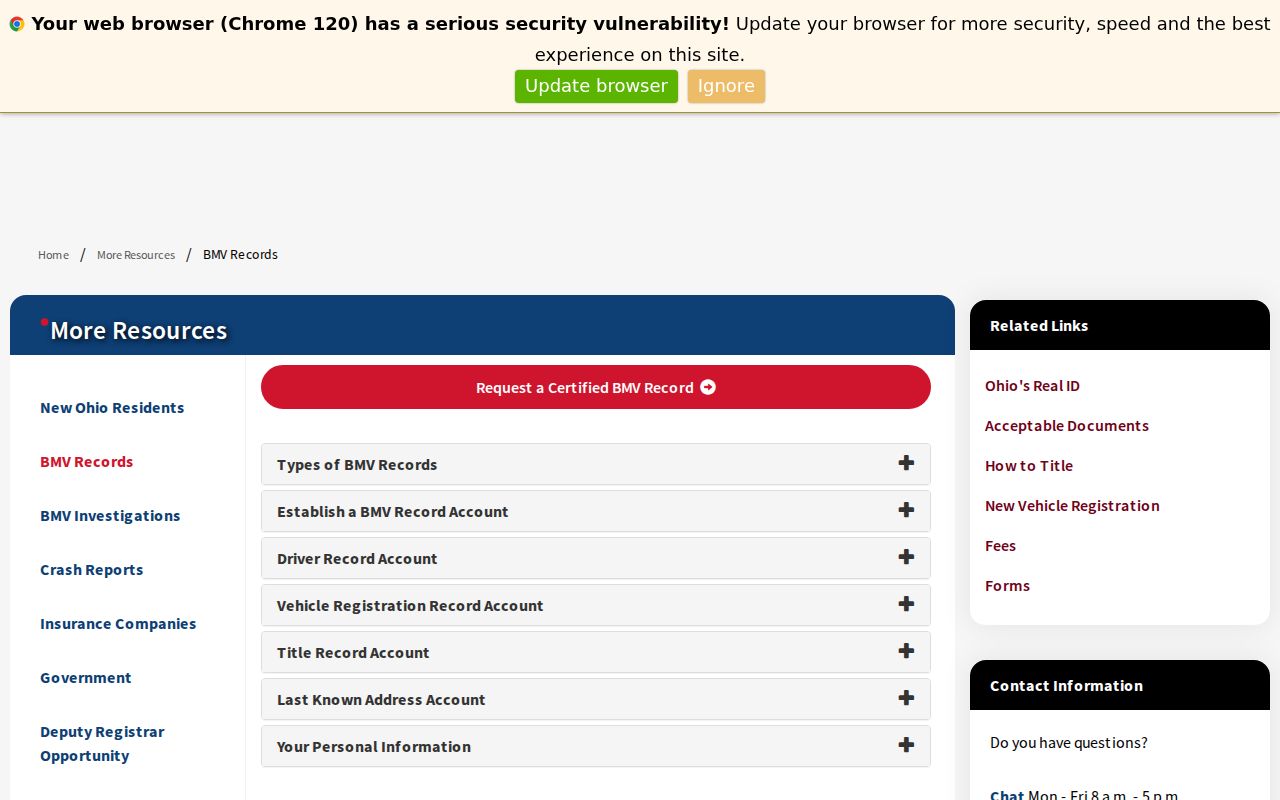
The state page draws the practical line. Ask the Brown County court clerk who maintains the case for any court document.
Brown County Court Record Requests
Begin with the right CaseLook portal when an online docket search is offered. Common Pleas CaseLook locates Appeals, Civil, Criminal, Domestic Relations, Judgment Lien, and Miscellaneous matters. Municipal CaseLook covers Traffic, Criminal, Civil, Small Claims, and Parking. Posted data can lag by at least 24 hours. So treat a search result as a way to grab a case number or date. It is not a verified copy from the clerk.
Clerk-counter review is available at both Common Pleas and Municipal Court. Common Pleas publishes a clerk verification line. Municipal Court posts its court line. Common Pleas also offers a Public Records Request Form. It asks for a case number, the entry requested, a date, and the requester's name. Brown County offers no countywide mailing or email copy-order process. Confirm fulfillment and payment with the clerk before you mail anything. Ohio has no single statewide trial-court records portal. Probate and Juvenile requests go to their own office.
Brown County Clerk of Courts
Common Pleas court records and verified-record questions are handled through the Clerk of Courts at 101 S. Main St., Georgetown, OH 45121.
(937) 378-3100
For a Municipal Court matter, try Municipal CaseLook first. Then contact the Municipal clerk at 770 Mount Orab Pike, Georgetown, or call (937) 378-6358. Under Ohio's Public Records Act, send the request to the court record custodian. Name the case, document, and copy type. A broad request can't override court rules on restricted material.
Brown County Court Record Review
Brown County's local rules lay out a real in-person route. Under Common Pleas Local Rule 34, you may examine a file at the clerk counter. A deputy clerk supervises the review. The file stays in the office. The deputy makes any marked copies. If you ask for several files, review may be limited to one at a time. Common Pleas Local Rule 38 also keeps original court papers in the Clerk's Office. These details count when an online index doesn't show what you need.
Municipal Rule 1.05 works much the same way. During business hours, a public file may be examined with a deputy clerk present. The deputy makes requested copies. The file stays inside the Municipal Court building unless someone with authority gives written permission. Not every file is public. This is simply the documented way to inspect one that is.
Note: Both the Common Pleas and Municipal portals warn of posting delays. A recent filing or order may need a clerk confirmation rather than another online search.
Kinds of Court Records
A docket is a timeline of case events, one line per filing or order. The case file behind it is different. That file can hold the complaint, a return of service, motions, pleadings, exhibits, or the judgment entry itself. Municipal Court rules spell out what each docket must track. Expect the case number and title, the filing date, the charge or claim, minutes of motions and pleadings, and minutes of orders tied to the journal. So a smart request names the paper. Ask the clerk for the actual judgment entry or a dated filing. That works far better than a vague request for "the docket."
Other Brown County records sit with different offices. In CaseLook, Common Pleas Domestic Relations cases carry the DR category. Personal-identifier rules or a court order can limit some of that material. Probate and Juvenile cases run through their own court office. It offers no public party-name search. For a Common Pleas hearing coming up, the weekly civil, criminal, and domestic dockets are calendars. They are not the full file. Ask each office for its own record type.
- Docket or journal entry for case activity and orders.
- Filed document, such as a pleading, motion, or judgment entry.
- Certified copy bearing the Clerk of Courts' official seal.
- Transcript, recording, or exhibit material through the court reporter process.
- Weekly docket or calendar for a future setting.
Brown County Docket Entries and Case Files
How you word the request decides what the clerk can find. A docket entry merely shows that something was filed, set, or journalized. The papers behind that entry live in the case file. A transcript or recording is a third animal. It has its own request route. Brown County's court reporter information wants a caption, case number, hearing date, hearing type, and judge. Give those facts when you have them. It narrows the request sharply. It also spares the clerk from rebuilding a case out of a general description.
The Clerk also runs the Archived Records browser, a separate tool entirely. Material there is grouped by category, book, and page. Criminal Records and Special Records are among the categories. It is not the current CaseLook search portal. For an older Brown County record or a copy, the clerk is still the right source. The clerk can give a current answer on archive coverage and remote images.
Court Records: What They Contain
What you can see depends on the record and how you reach it. Brown County's public CaseLook forms allow several searches. Try a name, a numeric case number, a date, or a category. The Common Pleas weekly dockets give a documented sample of an upcoming setting. Municipal rules describe the docket and journal behind it. Even so, no CaseLook detail page shows every document as an online image. Treat any inventory with care. It splits between a calendar listing and the file the clerk actually holds.
A thin online result does not mean the file was sealed. The gap could come from a delay. It might be a remote-access limit, a redaction, a restriction order, or an interface that simply does not publish the item. The custodian of the court record can help. That office can tell you which public version exists for a given case and document.
| Case number and caption | Identifiers used to locate the matter in a docket, calendar, or clerk request. |
|---|---|
| Filing date | Shown as a search route and described in Municipal docket rules. |
| Charge or claim | The nature of the matter described in the Municipal docket rule. |
| Motions and pleadings | Underlying papers may be kept in the file; the docket records a minute of activity. |
| Orders and journal entries | Municipal docket minutes refer to the daily journal of court orders. |
| Weekly setting fields | Common Pleas weekly dockets show time, case number, caption, hearing type, and counsel of record. |
| Transcript or recording | A separate court-reporter request, not a regular docket copy. |
Brown County Court Transcript Requests
A transcript, recording, or exhibit is not a standard docket-copy request. It goes through the Common Pleas court reporter process instead. The court reporter FAQ asks for the caption, case number, hearing date, hearing type, and judge. It also separates a transcript from the court file. Proceedings before December 2017 may exist as audio-only records. Later ones are audio/video recorded under the request procedure.
The published rates are plain. An original regular transcript costs $4.50 per page. A paper copy runs 10 cents per page, electronic copies carry no charge, and a CD is $25. Those are court-reporter rates. They are not CaseLook prices or generic clerk-copy prices. Exhibits follow their own custody rules. Before sending payment, ask the court reporter or clerk which office holds the item you want.
Brown County's court reporter records information maps out this distinct transcript and recording route.
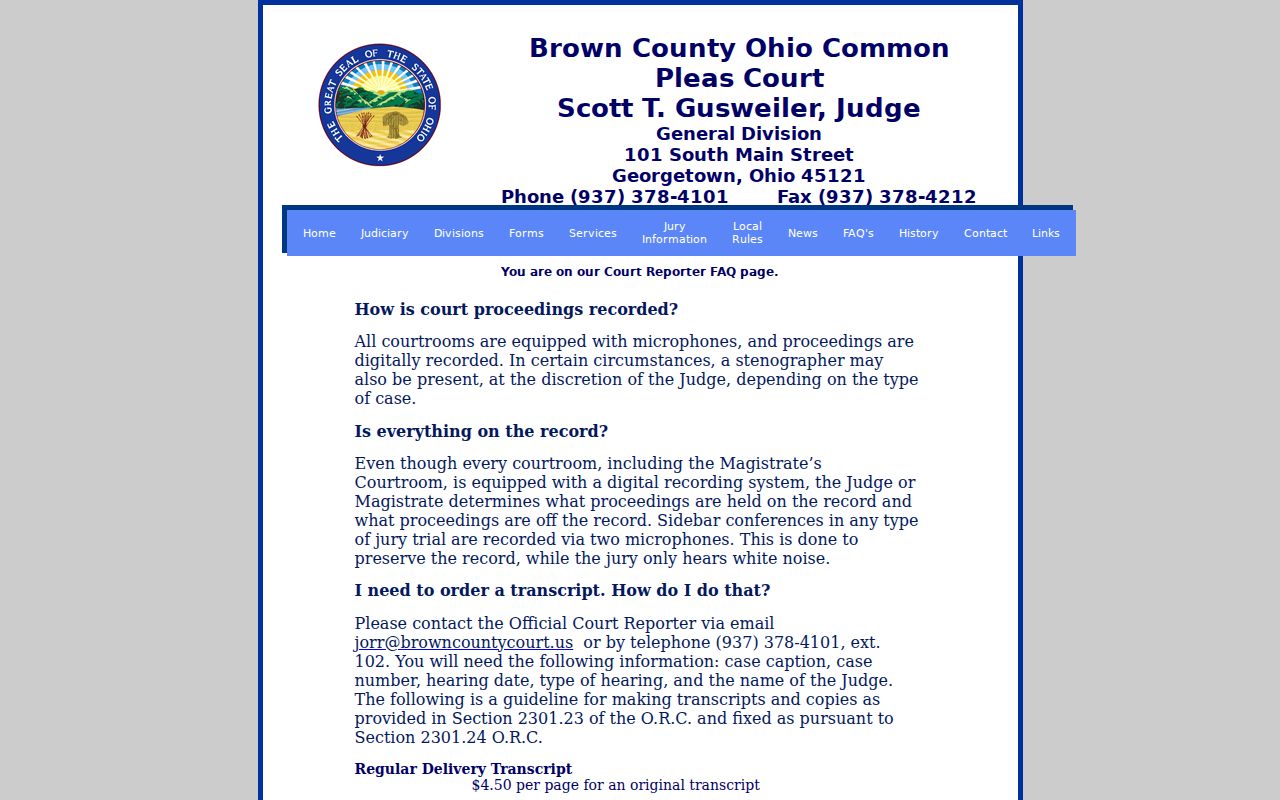
That court reporter page helps you request one hearing record with precision. A vague ask for everything in a case file usually slows things down.
Copy Fees and Certification
Copy charges are not filing costs, and the two should never be mixed. The Common Pleas Clerk FAQ lists two rates. Uncertified copies run 10 cents per page. A certified copy is $1 and bears the Clerk of Courts' official seal. Brown materials report the same plain-copy and certified-copy amounts for Municipal Court. Confirm the total before you order, especially on a multi-page certified copy. The Common Pleas FAQ is silent on one point. It never says whether a per-page charge rides on top of every certified request.
Also, do not confuse filing deposits with reading fees. Common Pleas civil or domestic filing deposits are separate from fees to read an existing record. Local Rule 4 lists amounts for filing and related work. Those are separate transactions. The clerk FAQ then sets out its accepted payment limits for copies. Municipal and mayor's-court procedures can differ. For a current total and fulfillment steps, the issuing court is the responsible source.
| Record or service | Published amount | Request note |
|---|---|---|
| Common Pleas plain copy | $0.10 per page | Request at the clerk counter or confirm another fulfillment route with the clerk. |
| Common Pleas certified copy | $1.00 | Official sealed copy; confirm the total for a multi-page request. |
| Municipal plain or certified copy | $0.10 per page / $1.00 certified | Confirm the current total with the Municipal clerk. |
| Original regular transcript | $4.50 per page | Common Pleas court-reporter rate, not a normal clerk-copy fee. |
| Court-reporter electronic copy or CD | Free electronic copy / $25 CD | Confirm the available medium and record type with the reporter. |
Brown County Remote Court Record Limits
Brown County splits its access between screen and counter. Municipal Court has published journalized daily orders through its E-Journal Docket System since 2016. CaseLook, meanwhile, offers searchable case records for both Common Pleas and Municipal matters, and Common Pleas adds weekly division calendars. Handy as those tools are, they have limits. None promises a full online image of every old docket or filed document. A portal may help you spot a case. The clerk still guards inspection, certified copies, and the official court file itself.
One local wrinkle shows why the pieces should stay separate. Local Rule 3 lets a Common Pleas filer fax limited filings into the electronic Case Docket System. But a filing rule is not a copy-order form for the public. The cover sheet demands identifying details, and an incomplete fax can sit unprocessed without being docketed. So get the document title right. Find the right custodian. Then treat filing, lookup, and copying as three distinct errands rather than one.
Access Rules for Court Records
Ohio law leans toward openness. The Public Records Act, R.C. 149.43 sets the baseline policy for inspecting and copying public records. Court-case access also follows the current Rules of Superintendence 11.09 through 11.17. Those rules cover direct access, remote access, personal identifiers, redaction, restrictions, and related limits. Brown Common Pleas Local Rule 34 says the court voluntarily complies with the Public Records Act. It cites an older statewide rule-number series, though. Rely on the current rules, then follow the local counter procedure.
A few terms get confused. Redaction blacks out protected details in a record you can still see. Restriction limits access under a rule or court order. It can cover a record or part of it. Sealing or expungement travels its own statutory path with a judge's order. A document image that is simply missing proves none of these things happened. Ask the custodian court which public version exists. Remember that juvenile matters carry extra confidentiality rules through the separate Probate/Juvenile office.
Key access sources: R.C. 149.43 supports public-record access; the current Superintendence Rules govern court-record access; and R.C. 2953.33 is one statutory entry point for certain criminal-record relief circumstances.